
What a study timer actually needs to do
Before comparing specific apps, it helps to agree on what a study timer should accomplish. A good study timer does four things:
- Initiates sessions easily — low friction to start means more sessions started
- Handles the hard moments — when you get stuck, the timer should not become irrelevant
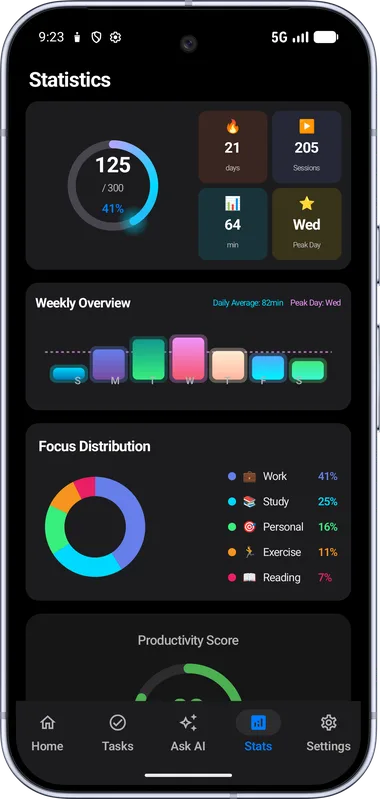
- Gives you data to improve — not just total hours, but patterns, peaks, and categories
- Gives you a reason to return — habit-building requires an incentive structure beyond pure willpower
Most apps do one or two of these well. None before FocusFlow did all four simultaneously.
Forest — the most recognised app
Forest has over 10 million downloads and genuine cultural cachet in the student community. The mechanic is elegant: you plant a virtual tree when you start a session, and it dies if you leave the app. Collected trees build a forest over time, and coins can plant real trees via a charity partnership.
What Forest gets right: the visual metaphor of a growing/dying tree is emotionally resonant in a way countdown numbers are not. The real-tree planting feature adds genuine social purpose. The aesthetic is polished.
What Forest misses: there is no help when you are stuck — you either stay in the app with your confusion or kill the tree. There is no leaderboard. There is no AI. The stats are basic. For ADHD users in particular, the "don't leave the app" mechanic creates anxiety without providing support.
FLIP — the screen-down approach
FLIP solves a specific problem: phone usage during study sessions. You place your phone face-down, and FLIP tracks how long you stay off the screen. Group study features let friends see each other's focus time in real time.
What FLIP gets right: the physical gesture of flipping the phone is a strong behavioural cue. The social aspect works well when your whole group uses it. The UI is clean and modern.
What FLIP misses: it requires your entire friend group on the same platform, which limits its practical reach. There is no AI assistance. There is no pomodoro structure. If you need to look something up, you're breaking the session — there's no middle ground.
Focus To-Do — the power user's choice
Focus To-Do is a full-featured productivity app with a pomodoro timer at its core. It integrates task management deeply with sessions, lets you assign sessions to specific tasks, and produces detailed completion reports.
What Focus To-Do gets right: the task-timer integration is the deepest available on Android. If you are already disciplined and want structure and data, it delivers both. The desktop sync is useful for students working across devices.
What Focus To-Do misses: it assumes you are already organised. For users who struggle with initiation — particularly ADHD users — the complexity of the system creates friction before a single session starts. There is no AI help, no visual journey, no leaderboard. It is a powerful tool for disciplined users only.
FocusFlow — the ADHD-first approach
FocusFlow was designed around users who want to focus but have repeatedly failed with other apps — particularly ADHD users and students who experience procrastination as an emotional problem, not a planning problem.
The Lantern Journey visual timer addresses time blindness directly. The AI coach — accessible without leaving the timer — addresses stuck moments. The global leaderboard addresses external motivation. The sound environments (brown noise, pink noise, white noise, rain, fireplace, Spotify) address the auditory needs of focus-impaired users. All of this is free, works offline, and requires no account to start.
What FocusFlow is still building: desktop/web version, cross-device sync, and collaborative study rooms. These are planned features, not current ones. If you need those now, Focus To-Do is a better fit.
Bottom line: if you have tried other pomodoro apps and quit within a week, FocusFlow's design philosophy addresses the reasons why. If you are already disciplined and want maximum data and organisation, Focus To-Do is worth exploring. If your whole friend group is on one platform, FLIP's social layer adds real accountability.
Try FocusFlow free on Android
Use the Lantern Journey timer, Flow AI Coach, and ad-free focus sounds in your next study session.

FAQ
What makes a good Android study timer?
A good study timer should be fast to start, visually clear, interruption-free, and motivating enough to use again tomorrow.
Is FocusFlow free on Android?
Yes. FocusFlow is free to download on Google Play for Android users.
Which study timer is best for ADHD?
For ADHD, look for visual progress, low-friction starts, ad-free sounds, and help for the moments when you get stuck. FocusFlow is designed around those needs.